Users
← Table of contents · Permissions · Tutors
What this section is for
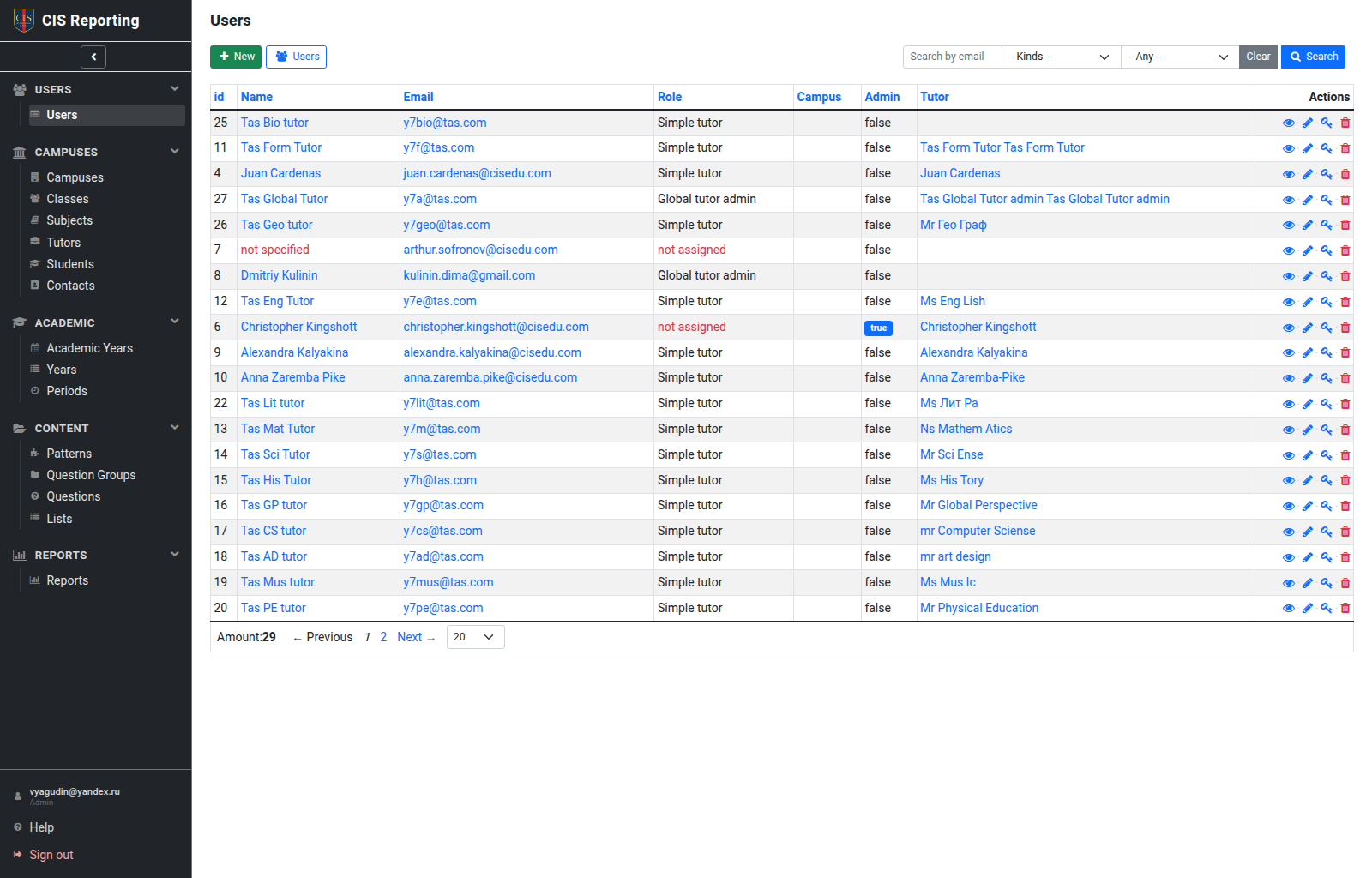
Users are sign-in accounts: email, role (kind), Admin flag, and a link to a Tutor / Student / campus (for Secretary).
How to open
Menu: Users → Users (Admin and Global tutor admin only).
Local tutor admin does not see this menu. They open campus tutor logins from Campus → Tutors (the linked account on the Tutor card).
What you can do
- view email, role, admin flag, and the linked record;
- create a user (New User), edit, delete;
- change the password (a separate action / form);
- on the profile, open Changes (system Admin only) — the shared log filtered to this user; field history and password changes. Sign-in dates are on the Details tab;
- set the role: Simple tutor, Local/Global tutor admin, Secretary, Student, not assigned.
Important rules
- Only a system administrator can set the Admin flag.
- Global tutor admin cannot manage accounts with
admin: true. - A Secretary must have a campus (
school) set. - Tutor roles usually need a link to a Tutor card; it is easier to create a login from the Tutor card (create account).
- The Student role is linked to a learner (
loginable). - Local tutor admin can edit, change the password, and lock/unlock Simple tutor and Local tutor admin logins of their campus. They cannot open the Users list or manage Global / administrator accounts.
- A locked account cannot sign in. Deleting a tutor or student locks their login; deleting a campus locks secretary logins on that campus. Restore unlocks them. Admins can also lock or unlock a login from the user or Tutor card.
Who can
| Action | Admin | Global tutor admin | Local tutor admin | Others |
|---|---|---|---|---|
| Users list | ✓ | ✓ | — | — |
| Manage campus tutor logins | ✓ | ✓ | ✓ (from Tutors) | — |
| Manage any users | ✓ | ✓ except admin | — | — |
| Grant Admin | ✓ | — | — | — |
| Edit own profile | ✓ | ✓ | ✓ | ✓ |